Free Download Your Desired Softwares and Apps From GetintoPC
Timecode Calculator 2026 Download
Whether you edit broadcast television, cut documentaries, or produce podcasts, timecode math is part of the job. A timecode calculator is a dedicated tool that lets you add, subtract, multiply, or divide video timings across different frame rates and standards. This guide covers how these tools work, what features matter, and how to pick the right option for your workflow.
Introduction
Timecode calculator performs arithmetic on timecode values displayed in the standard HH:MM:SS:FF format. It handles basic calculations like duration from two points, frame-rate conversion, and drop frame versus non drop frame switching, tasks that are tedious and error-prone by hand.
Accurate timecode is crucial for syncing audio and video clips. A single-frame mismatch in a multi-camera shoot or VFX composite can cause visible drift. In broadcast, wrong drop frame settings create a roughly 3.6-second discrepancy per hour at 29.97 fps, enough to get your deliverable rejected.
Common use cases span 25 fps PAL deliveries in Europe, 29.97 drop frame for US television, 23.976 streaming originals, and long-form podcast production. While NLEs like Adobe Premiere Pro, DaVinci Resolve, and Final Cut Pro include built-in timecode displays, dedicated timecode calculator software is faster for complex math, batch processing, and converting between frame rates without opening heavy project files.
Video editors, broadcast engineers, assistant editors, subtitle professionals, and freelancers all benefit. If you regularly work across multiple frame rate standards or manage durations for many clips, a standalone tool saves real time.
Software Overview
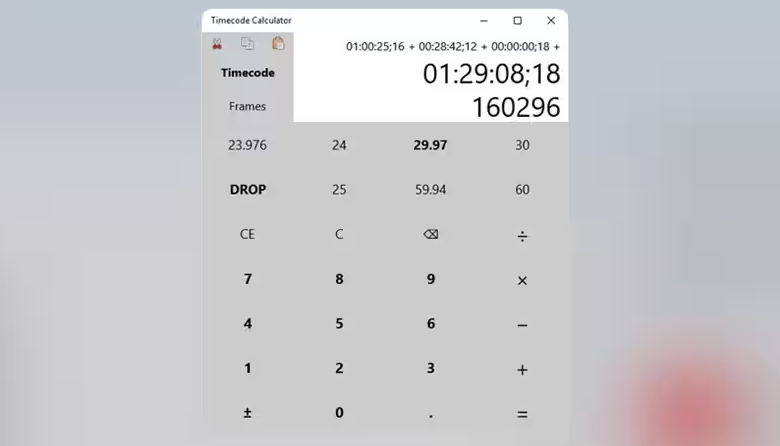
Timecode calculator software exists as web apps, desktop utilities, and mobile applications. Rob Womack’s online timecode calculator is free to use and handles common frame rates. Desktop options like TiCalcul run on Windows offline, while mobile apps like GoWorks Timecode Calculator serve on-set needs.
The primary purpose is straightforward: enter timecode or frame data, select your frame rate, and get accurate results for addition, subtraction, conversion, or duration calculations. Most tools support SMPTE standards including 23.976, 24, 25, 29.97 (DF and NDF), 30, 50, 59.94, and 60 fps. Some allow custom decimal rates.
These tools serve broadcast, cinema, streaming, subtitling, live events, and audio post workflows. Web-based timecode calculators support various frame rates and require no install. Mobile apps add portability. Desktop software offers deeper features and offline reliability.
How Timecode Calculator Software Works
Timecode follows the HH:MM:SS:FF format. Timecode calculators must handle standard 8-digit timecode formats, where each field rolls over correctly: frames into seconds, seconds into minutes. You enter your input, and the tool validates it against the selected frame rate.
Selecting the correct frame rate is critical. Software should allow users to lock the frame rate for accurate calculations, preventing accidental changes mid-session. Timecode calculators can support frame rates like 23.98 and 30, among many others.
For addition and subtraction, calculators can calculate the difference between two timecodes or add a duration to a start point. You can subtract timecodes to find exact segment lengths. Converting timecode to frames is essential for VFX and scripting. For example, 00:10:00:00 at 25 fps equals 15,000 frames. The reverse, frame to timecode conversion, applies drop frame logic when needed.
Handling drop frame and non drop frame projects requires precise implementation. DF skips two frame numbers every minute except every tenth minute at 29.97 fps. NDF counts sequentially. Accurate handling of drop-frame vs non-drop-frame is essential for broadcast work.
Good tools support exporting results. You can copy timecode data into EDLs, cue sheets, or paste directly into your NLE timeline.
Understanding Timecode and Frame Rates
What Is SMPTE Timecode?
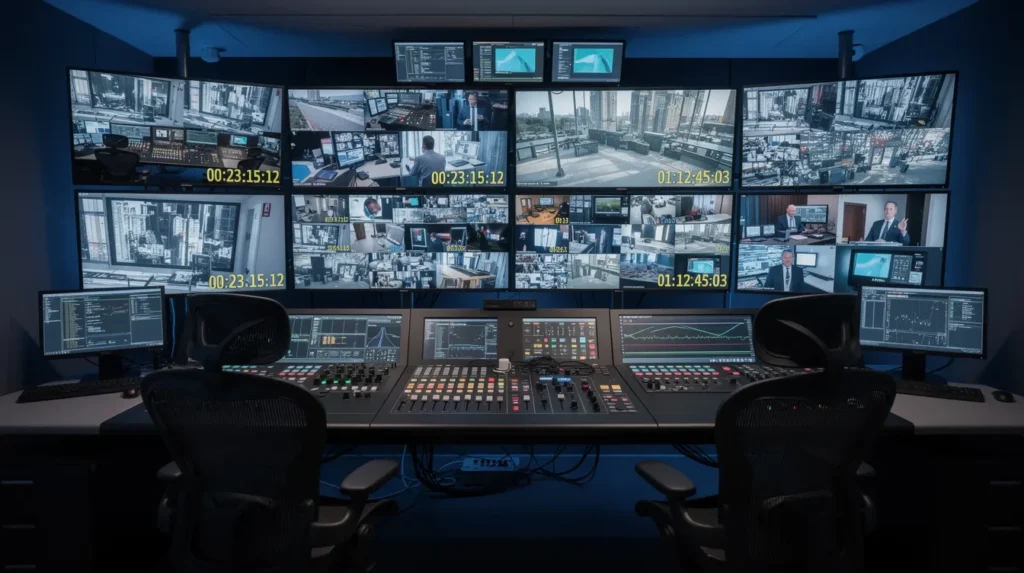
SMPTE timecode, defined in SMPTE ST 12M, is the industry standard for labeling individual video frames. It enables synchronization, logging, and frame-accurate editing across production and post.
Common Frame Rates Explained
- 23.976 FPS – streaming and digital cinema, slightly slower than true 24 for compatibility
- 24 FPS – traditional film rate
- 25 FPS – PAL/EBU broadcast standard across Europe and parts of Asia
- 29.97 DF – NTSC broadcast with drop frame correction for wall-clock accuracy
- 29.97 NDF – NTSC without frame-number skipping, drifts from real time
- 50 FPS – high frame rate PAL broadcast
- 59.94 FPS – high frame rate NTSC, can use DF/NDF
- 60 FPS – gaming, some streaming content
Support for various frame rates is crucial to prevent calculation errors when working across international deliverables.
Drop-Frame vs Non-Drop-Frame
Drop frame compensates for the 0.03 fps difference between 29.97 and 30, keeping displayed timecode aligned with clock time. Non drop frame ignores this gap. After one hour, NDF timecode reads approximately 00:59:56:12 instead of 01:00:00:00. Broadcasters in North America typically require DF.
Why Frame Rate Mismatches Cause Sync Problems
If two cameras on a multi-cam shoot log different DF/NDF settings, their timecodes diverge for the same moment. Subtitle tools may misparse timecode if separators (semicolon for DF, colon for NDF) are wrong. Even a one-frame offset across a 90-minute feature creates noticeable audio drift.
Key Features of Timecode Calculator Software
Accurate Timecode Calculations
Reliable tools validate input, prevent entering frame numbers beyond the fps limit, and correctly implement DF logic without rounding errors.
Add and Subtract Timecodes
The most-used operation. Calculators let you subtract timecodes to find durations or add a runtime to a start point. Software should support shorthand input for quick calculations, so you don’t need to type every leading zero.
Timecode to Frames Conversion
Converts any timecode to a total frame count, accounting for frame rate and DF adjustments. Essential for EDL scripting and VFX pipelines.
Frames to Timecode Conversion
The reverse operation. You can convert timecode values without re-entering them in some calculators, which speeds up round-trip workflows.
Duration Calculation Tools
Given start and end points, the tool computes exact duration in timecode, frames, and sometimes milliseconds. OOONA’s web calculator, for example, shows multiple formats simultaneously.
Start, End, and Runtime Calculations
Lock any two fields and the third auto-calculates. GoWorks Timecode Calculator is free with in-app purchases and supports this lockable-field approach on mobile.
Drop-Frame and Non-Drop-Frame Support
AVTools TC Calc supports both drop-frame and non-drop-frame formats. Any serious tool must clearly distinguish DF from NDF in its interface to avoid silent errors.
Multiple Frame Rate Presets
Standard presets cover common rates. Robwomack’s timecode calculator supports frame rates up to 60 fps. Some tools like TC-Calc allow fully custom decimal rates.
Batch Timecode Processing
The ability to perform batch calculations is essential for total program runtimes. AVTools TC Calc offers bulk timecode calculations for free, making it practical for editors managing many segments.
Long Timeline Support
Desktop tools like TiCalcul handle durations up to thousands of hours, useful for archival, surveillance, or multi-day event recordings.
Audio Sample Calculations
Some calculators convert between timecode, milliseconds, and audio samples at rates like 48 kHz, bridging video and audio post needs.
Copy and Export Results
NLE copy/paste compatibility saves time and reduces errors. Better tools export to CSV, EDL, or clipboard formats that paste cleanly into Premiere or Resolve.
Lightweight Performance
These are small applications. They run alongside heavy NLEs without impacting playback performance, and many work entirely offline.
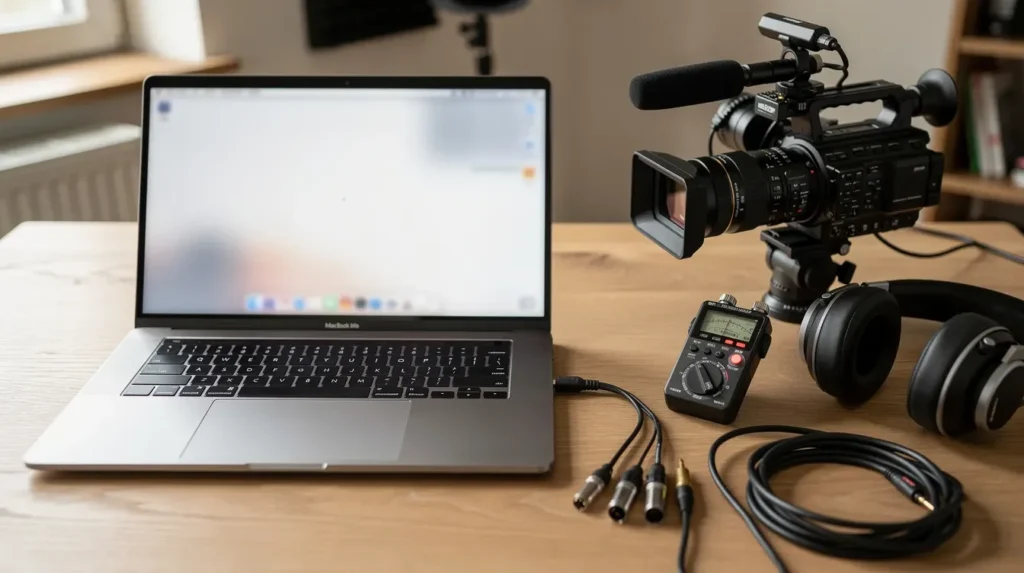
Benefits of Using Timecode Calculator Software
Dedicated tools speed up post-production by eliminating manual math. They reduce human error in converting between rates or handling DF logic. Broadcast compliance improves when durations are verified before delivery. Audio-video synchronization becomes more reliable. Runtime management across many clips or episodes gets easier. Teams share precise, verified timecode data rather than relying on estimates, enhancing collaboration.
Practical Applications
Video Editing
Quickly figure out segment durations, check total runtime, or calculate offsets when conforming from one frame rate to another.
Broadcast Delivery
Verify that a program master hits its exact slot length with correct DF timecode before submission.
Podcast Production
Match repurposed video segments to audio edits, especially when converting between different sample rates and frame-based timecode.
Documentary Editing
Log interview in/out points across hours of footage and sum durations without opening each clip in the NLE.
Film Post-Production
Convert between 24 fps camera originals and 23.976 deliverables for streaming, ensuring VFX frame counts stay accurate.
Live Events
Timecode calculators are crucial for managing multi-camera projects and aligning cues to frame-accurate markers in real time.
Audio Post Workflows
ADR supervisors and scoring editors use frame and sample calculations to align stems with picture.
Multi-Camera Productions
Matching frame counts across cameras with different DF/NDF settings requires reliable calculation tools.
Integrating with Editing Software
Adobe Premiere Pro Workflows
Editors alt-tab to a calculator or use extensions like TimeWeave’s Premiere panel to perform timecode math without leaving the timeline.
DaVinci Resolve Workflows
Resolve displays timecode natively, but external tools help when you need to calculate across multiple timelines or frame rates. Integrating timecode calculators with non-linear editors enhances efficiency.
Avid Media Composer Workflows
Avid’s bin columns show timecode data, but batch duration sums across many clips are faster in a dedicated tool.
Final Cut Pro Workflows
Apple’s FCP on mac uses its own timecode display. Some apps like Timecode+ export directly to FCPXML for tighter integration.
EDL, XML, and AAF Support
A few desktop tools export calculation results directly into interchange formats, reducing manual entry into these files.
Cue Sheets and Broadcast Logs
Timecode calculators can log all calculations for future reference, which feeds directly into cue sheets, ADR lists, and delivery reports.
Pros and Cons
Pros
- Easy to use with minimal learning curve
- Accurate SMPTE calculations across all common frame rates
- Supports multiple frame rates in a single session
- Lightweight resource usage alongside demanding NLEs
- Improves workflow efficiency for repetitive timecode math
- Available across multiple platforms: windows, mac, iPhone, Android, and web
Cons
- Incorrect settings produce wrong results with no warning in some tools
- Limited NLE integration; most workflows remain manual copy-paste
- Some features locked behind paid versions; the Simple Timecode Calculator app costs $0.99 on iOS
- Platform compatibility restrictions: Timecode Calculator by Nitrosoft is Windows-only software
- Niche software may receive fewer updates, and a developer may abandon a tool without notice
How to Choose the Right Timecode Calculator
Determine Your Required Frame Rates
List every frame rate your projects use. Timecode calculators support various frame rates like 23.98 and 30, but not every tool covers high frame rates or custom decimals.
Check DF/NDF Support
If you deliver for broadcast, DF support is non-negotiable. Verify the tool handles it correctly before trusting it.
Consider Platform Compatibility
A web-based time code calculator works everywhere. Desktop and mobile options depend on your OS. Check whether the app runs on your version of windows or mac before you download and install.
Evaluate Batch Processing Needs
If you manage many segments per project, batch support matters. AVTools TC Calc handles this well.
Compare Free and Paid Options
Many capable tools are free. The Simple Timecode Calculator app costs $0.99 for mobile users, while GoWorks Timecode Calculator is free with in-app purchases. Evaluate whether paid features justify the cost.
Test with Real Projects Before Deployment
Run actual show segments through the calculator and compare results with NLE readouts. Don’t trust any tool blindly on a first use. Thanks to most tools being free or cheap, testing is low-risk.
Frequently Asked Questions (FAQ)
What Is a Timecode Calculator?
A simple timecode calculator is a tool that performs arithmetic on SMPTE timecodes. You enter timecode or frame data, select a frame rate, and get results for operations like addition, subtraction, or conversion.
How Do I Convert Timecode to Frames?
Enter your timecode, select the matching frame rate and DF/NDF setting, and the calculator displays total frames. The result accounts for any dropped frame numbers.
What Is Drop-Frame Timecode?
A labeling convention that skips certain frame numbers to keep 29.97 fps timecode aligned with wall-clock time. No actual frames are dropped from the video.
Do Premiere Pro and Resolve Include Timecode Tools?
Yes, but they’re limited to the open project’s frame rate and don’t support batch processing or cross-rate conversion as efficiently as dedicated tools.
Are Online Timecode Calculators Accurate?
If built correctly, yes. Cross-check DF/NDF logic by comparing results from two different calculators on the same input.
Which Frame Rate Should I Choose?
Match your source footage and delivery spec. When in doubt, check your camera metadata and the broadcaster’s or platform’s technical requirements.
Can Timecode Calculators Handle Long Projects?
Most web tools handle standard durations. For content beyond 24 hours, desktop tools like TiCalcul support thousands of hours. It is assumed that your place of work determines which option fits.
Final Verdict
For most video editors, a free web or mobile timecode calculator covers everyday needs. The information these tools provide, from frame counts to DF-corrected durations, prevents errors that are expensive to fix in later stages. Budget-conscious users can open a browser-based option and start working immediately.
Broadcast engineers, post supervisors, and anyone managing multi-camera or multi-rate projects benefit most. Look for accurate DF/NDF handling, batch processing, and the ability to share or export results.
As delivery specs, frame rates, and remote collaboration workflows continue to evolve, editors who understand timecode fundamentals and select the right tool will avoid costly sync and compliance failures. Start with a free option, and update to something more capable only when your projects demand it.